|
If you are having
trouble downloading or extracting the HOSTS file
Right-click on the download link and select: Save Target As (IE
only) hosts.zip

| In
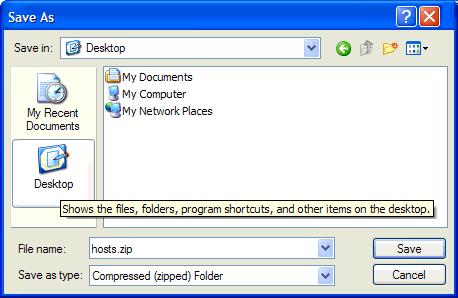
the following example I will use the Desktop as a download location.
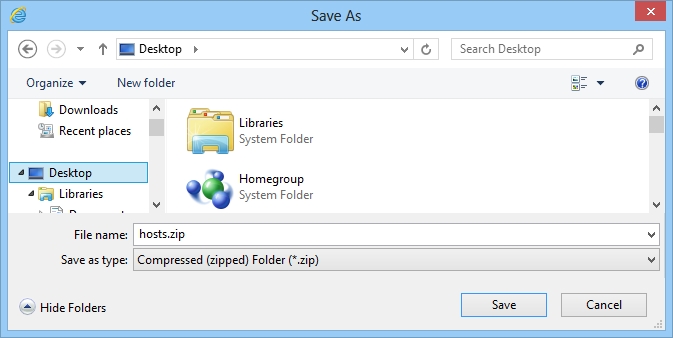
From the "Save As" dialog box, click the Desktop icon on the left
side. Click Save, this will save "hosts.zip" to your Desktop.
From your Desktop right-click (hosts.zip) and select:
Extract All from
the menu.
Click Next, click Next, select the option:
"Show Extracted
files", click Finish
Note: 3rd party unzipping utilities menu items may differ
...
This will open the newly created hosts folder on your
Desktop.
Double-click on the included mvps.bat file, this will
rename the existing HOSTS file to HOSTS.MVP, then it will copy
the included updated HOSTS file to the correct location on your machine.
Win7 users right-click and select: Run As Administrator |
 |
For Windows 10/8 users ...
You can follow the above instructions, but the Save As
box is different. After extracting the HOSTS file,
right-click on the "mvps.bat" and select:
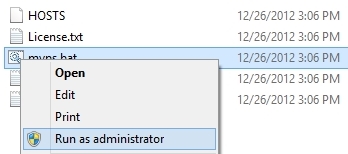
For more info see the Windows 8
page |
 |
Note: When you run the (mvps.bat) batch file, XP users may
see a prompt, simply click Run and continue. Once updated you
should see
another prompt that the task was completed. Some users may see a
pop-up from certain Security programs about changes to the HOSTS
file. Allow the change ... however if you see this pop-up at any
other time ... investigate.
 |
Windows 8 requires special instructions
 see here
 |
Manual Install Instructions
Unzip (Extract) the download ... (hosts.zip)
Highlight, right-click on the included HOSTS file and select: CopyOpen Windows Explorer to the appropriate folder (see below)
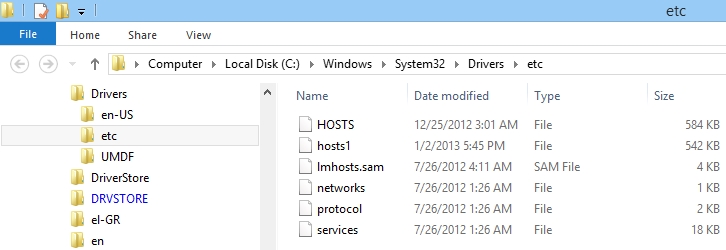
The key being the "Etc" folder ... Note: this assumes Windows is installed in the default
location.
| Windows Win7/Vista/XP |
= |
C:\WINDOWS\SYSTEM32\DRIVERS\ETC |
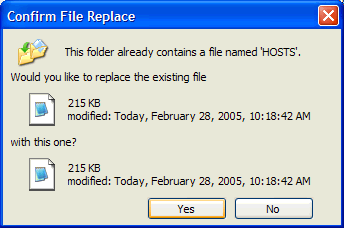
| Right-click and select: Paste In the event
you already have an existing HOSTS file you will be prompted
with the image to the right.
Windows Explorer will prompt you to replace the existing
file.
If you are not sure, select: No and rename the existing file
to hosts.old
You can open your existing HOSTS file in Notepad via the
right-click
options.
If the existing file looks like this [screenshot]
that's the version
original shipped with Windows. Then repeat the above steps. |
 |
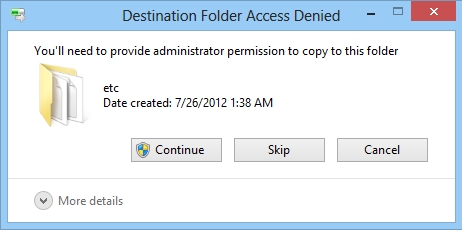
Windows 8 users will see the
following prompt ... click Continue
In some cases File
Explorer may not prompt you to replace the file, but rather will
create a "HOSTS-copy" file ... go figure |
 |
Editors Note: in some cases you may have a security
application "monitoring" the HOSTS file for changes, or that has
the HOSTS file "locked" (set to "Read Only") If this occurs
allow the changes or you may need to
"unlock" the HOSTS file before you can replace it.
To check - right-click the HOSTS file and select: Properties
If you are using a HOSTS file now, check to see if there are any
needed entries before you replace it with the new download.
Several users have reported overwriting their entries for other
programs. [more
info]
Editors Note: Once you have completed the above you can delete
the hosts.zip and the hosts folder from your Desktop. The
MVPS HOSTS file
is updated regularly so you can always return here if you are still
unsure on "How To" or drop
me a note and I'll try and assist.
Why do I get a
Password Prompt when unzipping the download?
This usually occurs when you copy the "hosts.zip" file to the
location of the existing HOSTS file and then try to "Extract" the
file. To prevent this prompt, unzip the file in a "temp" folder or
use the above "Desktop" example.
 Related Utilities
 |
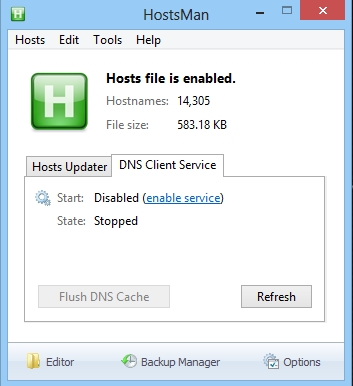
Hosts File Editor ... great little freeware program with all the
features of Hostsman ... |
|